Server-Side Tracking
If your GA4 conversions look 20-40% lower than your ad platforms claim, you are not crazy. You are watching browser-side tracking decay in real time. This lesson is for analytics leads, growth engineers, and senior marketers who own attribution and need to stop the bleeding.
Quick Summary
- Browser-based tracking is dying: ad blockers, Safari's cookie limits, and iOS privacy rules erase 20-60% of your conversion data before it ever reaches Google or Meta.
- Server-side tracking moves data collection from the user's browser to a server you control, so ad blockers and browser rules cannot touch it.
- Real brands report 40-88% gains in measured conversions after switching, and the ROI math works fast for teams spending over $50k/month on paid ads.
- The core setup is one first-party subdomain + a Google Tag Manager server container + server tags for your top ad platforms.
- Event deduplication (sending a matching
event_idfrom both browser and server) is the one technical step most teams get wrong.
What It Actually Is
A Magento 2 ecommerce pharmacy implementing GTM server-side tracking with a custom loader to stop ad blockers and browsers from silently dropping tag requests Client-side pixels were undercounting real orders, distorting reported cost-per-acquisition on Meta and Google Ads Moved event collection to a first-party server-side GTM container and forwarded events via Meta's Conversions API and server-side Google Ads tags
Result: 88% more conversions measured via Meta Conversions API than the browser pixel alone, and backend-to-GA4 discrepancy dropped from 20% to 6% (Measured after full server-side migration).
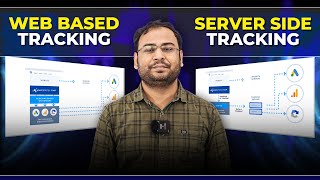
SourceThink of standard (client-side) tracking like this: every time a user does something on your site, their browser makes 20 separate phone calls, one to Google, one to Meta, one to TikTok, and so on. Each call can be intercepted, blocked, or delayed.
Server-side tracking changes that. The browser makes one phone call to a server you own. Your server then forwards the data to Google, Meta, TikTok, and everyone else, from a trusted, private line that ad blockers cannot tap.
In technical terms: instead of browser scripts firing directly to vendor endpoints, you deploy a tagging server (usually Google Tag Manager Server-Side, or sGTM) on a first-party subdomain like metrics.yourbrand.com. The browser sends one clean event payload to that subdomain. Your server enriches it (adds hashed email, user ID, UTM params) and dispatches it in parallel to each ad platform using their server APIs: GA4 Measurement Protocol, Meta Conversions API (CAPI), Google Ads Enhanced Conversions, TikTok Events API, etc.
The browser never touches Meta or Google directly. Ad blockers see nothing to block.
A "first-party subdomain" means a URL on your own domain, like metrics.yourbrand.com. When your server sets cookies from this address, browsers treat them as first-party (trusted). If you use a vendor's domain like gtm.stape.io, browsers treat it as third-party and block it. The subdomain setup is not optional, it is the whole point.
Why It Matters (The Data Problem)
The browser is becoming a hostile environment for measurement. Three forces are killing your tracking:
-
Safari's Intelligent Tracking Prevention (ITP): Safari caps JavaScript-set cookies at 7 days (sometimes 24 hours for known trackers). Server-set cookies on a first-party domain can last up to 400 days. Since Safari has around 20% global browser share, you are losing a fifth of your audience to cookie expiry.
-
Ad blockers: Ad blocker adoption grew roughly 22% in 2025. Privacy-first browsers like Brave surpassed 100 million monthly active users by late 2025, with tracking prevention enabled by default. Firefox blocks known tracking scripts out of the box.
-
iOS App Tracking Transparency (ATT): Apple's ATT prompt suppresses in-app browser signals and has led to opt-out rates above 70% in many markets.
The combined effect: marketing teams routinely find 20-40% more conversions exist than their tools report. That missing data is not gone from reality, it is just gone from your attribution model. So your algorithms under-bid, your ROAS looks worse than it is, and you cut budgets on campaigns that are actually working.
ROI Assist (Digital Marketing Agency), 2024: After implementing server-side tracking, Facebook Ads conversion tracking accuracy jumped from 60% to 93.65%. Google Ads accuracy improved to 95%. They closed a 30% data gap that had been suppressing campaign performance for months.
Skincare E-Commerce Brand, 2024: Before server-side tracking, GA4 recorded 1,724 purchases per month. After implementing sGTM with Meta CAPI, measured purchases jumped to 4,512, a 162% increase in tracked conversions from the same actual sales. Their Meta event match quality score rose from 0-5 to consistently above 9 out of 10. Google Ads cost-per-purchase dropped 39% in the first month because the algorithm had better data to optimize with.
Square (payments company): Reported a 46% increase in conversions reported from Google Ads after moving to server-side tagging, according to Stape's published case studies.
How Server-Side Tracking Works: A Visual
The Setup: Step-by-Step
Here is the minimum viable implementation. These steps assume you already use Google Tag Manager on your site.
Step 1, Pick your tagging server host. Google Tag Manager Server-Side is the standard. You can host it yourself on Google Cloud Run (roughly $40-120/month for typical SMB traffic) or use a managed provider: Stape, Taggrs, and Addingwell all cost less and handle the infrastructure. For most teams, a managed host is the right call, it removes the DevOps overhead.
Step 2, Set up a first-party subdomain.
Create a subdomain on your own domain: metrics.yourbrand.com, data.yourbrand.com, or similar. Point it at your tagging server via a CNAME DNS record. This single step is what makes cookies first-party and what bypasses ad blockers.
Step 3, Connect your existing web GTM container.
In your web GTM container, change the GA4 Configuration Tag's transport_url setting to your new subdomain. All GA4 hits now route through your server instead of going directly to Google.
Step 4, Add server tags for each ad platform. Inside the sGTM server container, add server tags for every destination: GA4, Meta CAPI, Google Ads Enhanced Conversions, TikTok Events API, LinkedIn CAPI. Each platform provides a server tag template in the sGTM template gallery.
A global travel company shifting from browser-pixel-only tracking to server-side event forwarding via Meta's Conversions API, implemented through a customer data platform iOS privacy changes and browser tracking restrictions were degrading Meta's ability to match ad clicks to real bookings, weakening campaign optimization Sent booking and conversion events server-side through Meta CAPI alongside the existing browser pixel, giving Meta a more complete, deduplicated signal
Result: Cost per booking dropped 6%, conversion rate on social traffic rose 29%, and ROAS increased 18% (Following the shift to server-side event delivery).
SourceStep 5, Pass first-party identifiers. Hash and forward email address, phone number, and logged-in user ID with every event. This is what feeds Meta's Advanced Matching and Google's Enhanced Conversions, and where most of the accuracy gains actually come from. The platforms use this data to match events to real users even when cookies are missing.
Step 6, Deduplicate events (critical).
Send a unique event_id (a string like purchase_1234567890) from both your browser pixel and your server tag for every event. Meta and Google use this ID to discard duplicates. If you skip this, you will double-count every conversion and your ad platforms will over-report by 2x.
Step 7, Validate before going live. Use the sGTM server preview mode, Meta Events Manager "Test Events" tab, and GA4 DebugView to confirm events are arriving correctly. Check that deduplication is working by looking for "deduplicated event" notices in Meta Events Manager.
The three mistakes that will wreck your data:
-
No
event_iddeduplication. If you fire both a browser pixel and a server event without a sharedevent_id, Meta and Google count both. Your conversion numbers inflate 2x, your CAC metrics collapse, and your campaigns optimize toward phantom data. -
Sending raw PII to Meta CAPI. Meta requires SHA-256 hashed email and phone number. Sending unhashed values gets events silently rejected, you will not see an error, just missing data.
-
Hosting the server on a vendor subdomain. If your sGTM is served from
gtm.stape.ioinstead ofmetrics.yourbrand.com, it is still third-party and still gets blocked. The CNAME to your own domain is not a nicety, it is the entire privacy and ad-block bypass mechanism.
Handling Consent and Privacy
Server-side tracking does not exempt you from GDPR, the ePrivacy Directive, or CCPA. You still need consent.
The right approach: pass consent state from your CMP (consent management platform) into the sGTM server container and gate server tags accordingly. If a user declines analytics cookies, your server should not fire GA4. If they decline ad targeting, do not fire CAPI.
MecShopping (an Italian retailer) actually used server-side tagging to improve their consent-based tracking. By running sGTM through Stape, they doubled their consent-based tracking coverage from 24% to 50%. Why? Because the server-set first-party cookies survived Safari ITP where the old JavaScript pixels had expired. More users who had given consent were actually being tracked.
Who Should Implement This Now
Server-side tracking is table stakes if you are spending over $50k/month on paid media. The ROI math is simple: if server-side tracking recovers 30% of lost conversions, and those conversions drive better algorithmic bidding, the improvement in ROAS often pays for the infrastructure cost within the first month.
For smaller budgets ($5k-50k/month), the ROI still exists but takes longer to materialize. The setup complexity is worth it if you are seeing a significant gap between ad platform reports and your CRM or Shopify order data.
If you are spending under $5k/month on paid ads and have no in-house technical resources, a simpler fix, like using GA4's server-side integration for Google Ads only, may make more sense as a starting point.
Key Takeaways
- Server-side tracking recovers 20-60% of conversion signal lost to ITP, ad blockers, and broken JavaScript. The case studies are public and the numbers are consistent.
- The minimum viable setup is: first-party subdomain, sGTM container, server tags for your top 3 ad platforms, and proper event deduplication.
- Deduplication with a shared
event_idis the most technically critical step, skip it and you corrupt your data. - Privacy compliance still applies. Server-side does not mean consent-free. Gate your server tags on the same consent signals your browser tags use.
The One-Line Takeaway
Server-side tracking is not a tool upgrade, it is reclaiming the conversion data you are already generating but currently losing.