Push Notifications
Push notifications are the most interruptive channel a marketer can use, which is exactly why they work and exactly why they get muted. The average US smartphone user receives 46 push notifications per day, and most are read (or dismissed) within about a minute of arrival. This lesson covers how web push and mobile push differ, what the 2025 benchmarks actually look like, and how to write pushes people do not silence.
What It Actually Is
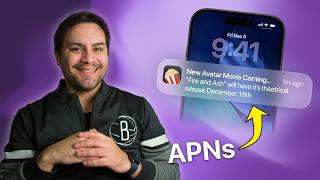
A push notification is a short message delivered to a device by an OS-level service (Apple Push Notification service, Firebase Cloud Messaging, or the W3C Push API in browsers) even when your app or site is closed. Two flavors matter:
- Mobile push goes through a native iOS or Android app the user has installed. iOS requires explicit opt-in. Android grants it by default on older versions and prompts on Android 13+.
- Web push goes through a desktop or mobile browser (mostly Chrome) after the user clicks Allow on a prompt. No app install needed, but no iOS Safari support until iOS 16.4 added it for installed PWAs.
Concrete example: Duolingo sends a mobile push at the exact time you usually do your lesson. Shopify Inbox sends a web push to a store owner the moment a customer messages them. Both ride the same OS plumbing, very different intent.
Why It Matters (with data)
The numbers explain why every consumer app team is fighting for this channel:
- Push notifications average a 20% open rate versus roughly 2% for marketing email, and a 12% click rate that climbs to 15% with automation (Mobiloud, 2025).
- 65% of users return to an app within 30 days of enabling push, and push can lift app engagement by 88% (Mobiloud, 2025).
- Contextual pushes hit a 14.4% open rate versus 4.19% for generic blasts, and rich pushes (image, action buttons) see a 56% lift in opens (Pushwoosh benchmarks, 2025).
- Opt-in rates are wildly uneven: roughly 40% of iOS users accept push compared to about 90% of Android users.
- A 2026 Braze study found AI-personalized pushes outperformed generic pushes by 74%, up from a 59% lift the year before.
Why the 1-minute attention window? Lock-screen notifications are scanned, swiped, or tapped within about 60 seconds of arrival. If the copy does not earn the tap in that window, it usually never will.
How It Works / The Playbook
- Earn the opt-in with a soft prompt first. Never trigger the native permission dialog on first load. Show a contextual in-app screen explaining the value, and only fire the OS prompt when the user accepts. This routinely doubles opt-in rates.
- Segment before you send. At minimum: timezone, last-active date, lifecycle stage, and one behavioral signal (cart, last category browsed, streak day). Generic blasts at 4% open versus contextual at 14% is the same audience, different targeting.
- Write for the lock screen. Pushes under 10 words get nearly double the engagement of longer ones. Lead with the noun the user cares about, not your brand name. Bad: "Acme: We have news for you." Good: "Your $42 refund is on the way."
- Pick send time by user, not by campaign. Mondays and Tuesdays have the highest CTR overall, Saturday the lowest, but per-user send-time optimization (firing at the hour each user historically opens) beats any global rule.
- Use rich format when you can. A single image lifts opens 56%. Action buttons (Reply, Snooze, View) cut friction.
- Cap frequency. Three pushes per week is the ceiling most consumer apps survive. Past that, opt-outs rise faster than incremental clicks.
Yummly, the recipe app, found that switching from generic dinner-time blasts to contextual pushes tied to saved recipes and pantry state lifted open rates from the low single digits into the contextual-campaign range Pushwoosh reports (around 14-16%). Pushwoosh's 2025 benchmark data shows contextual campaigns at a 14.4% open rate versus 4.19% for generic, a roughly 3.4x gap that holds across retail, media, and finance verticals (Pushwoosh, 2025).
Common Mistakes
- Firing the native permission prompt on page load. You burn the opt-in forever. Use a soft pre-prompt with clear value, then fire the OS dialog only after a yes.
- Treating web push like email. Web push has no preview pane, no images on most desktop OS notifications, and a hard character limit (around 50 for the title, 120 for the body in Chrome). Long subject-line thinking does not transfer.
- Sending the same message to opted-in users on iOS, Android, and web. Web push opt-ins skew desktop, work-hours, and Chrome-only. Mobile push opt-ins are personal-device, evening-weighted. Same copy, different audiences.
- No frequency cap. A user who turns off notifications is gone; a user who unsubscribes from email might still open the next one. Push opt-outs are usually permanent at the OS level.
- Ignoring delivery receipts. A push counted as sent is not a push delivered. APNs and FCM both expose delivery status. Track it.
Key Takeaways
- Push beats email on opens (20% vs 2%) but only if you earn the opt-in with a soft prompt and respect a roughly 3-per-week frequency cap.
- Contextual and segmented pushes outperform generic blasts by 3-4x. The 14.4% vs 4.19% gap is the single biggest lever you have.
- Write for a 1-minute lock-screen scan: under 10 words, lead with the user's noun, add an image or action button when the platform allows.