MCP and Connected AI Workflows
In 2025, the biggest bottleneck in marketing is not creativity or budget, it is that your data lives in a dozen disconnected tools and the only way to get a full picture is a human analyst copying numbers between tabs for hours every week. Model Context Protocol changes that equation entirely.
Quick Summary
- MCP is an open standard released by Anthropic in November 2024 that lets AI assistants connect directly to external tools, databases, and services via lightweight "server" connectors.
- By March 2026, MCP SDK downloads hit 97 million per month, a 970x increase in 18 months, and the ecosystem had over 10,000 active public servers (Digital Applied, 2026).
- OpenAI adopted MCP in March 2025 across ChatGPT Desktop and its Agents SDK. Google DeepMind confirmed Gemini support in April 2025. MCP is now the universal standard.
- Marketing teams using connected AI workflows report 50 to 75 percent time savings on data tasks that previously required manual gathering across platforms.
- You do not need to be a developer to benefit, but you do need to be deliberate about which workflows you automate first.
What It Actually Is
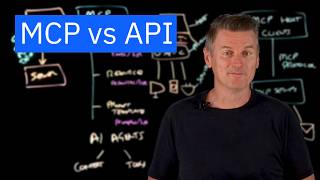
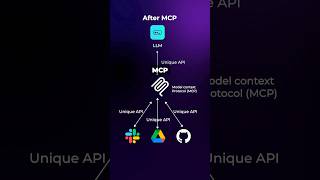
MCP is a standardized communication layer between an AI assistant and external tools. Before MCP, connecting an AI to your CRM required one custom integration, connecting it to your ad platform required another, and each one was fragile, expensive to maintain, and broke whenever a vendor changed their API.
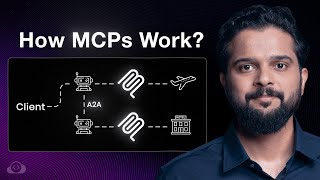
Think of MCP like a universal charging cable. Instead of carrying a different cable for every device (a custom integration per tool), you carry one cable (the MCP standard) that works with everything that has adopted the protocol. The AI connects to an "MCP server", a lightweight connector, that sits in front of each tool and exposes a set of structured actions: read a contact, pull campaign data, update a budget, create a draft.
The result: your AI assistant becomes a live participant in your marketing stack, not just a chatbot you paste screenshots into.
Why It Matters (with data)
The data problem in marketing is severe. Dataslayer's 2025 MCP use case report found that 56 percent of marketers do not have enough time to analyze their data properly, and 45 percent of the data marketing teams use is incomplete, inaccurate, or outdated. The same report estimated that teams waste 40 or more hours weekly on manual data consolidation across platforms.
MCP directly attacks those numbers. According to enterprise adoption studies cited in MCP Manager's 2026 statistics report, organizations running MCP-connected AI workflows reported:
- 50-75% time savings on tasks that previously required manual data gathering across multiple platforms.
- Cross-platform campaign analysis reduced from 4 hours to 4 minutes.
- Automated executive reporting reduced from a 12-hour process to 30 minutes of human review.
- SEO content gap analysis (querying Search Console, CMS, and Analytics simultaneously) saving 6 hours per week per analyst.
A sales and marketing AI agent tracked by Warmly in 2025 showed a 15.1 percent increase in lead-to-opportunity conversion rates across 61,734 leads contacted between January and November 2025, a direct result of the AI having live CRM context to personalize outreach in real time.
The analyst-to-tools ratio is the core driver here. If your marketing team has more platforms than people, connected AI workflows let you reclaim the analysis layer without hiring a full data team.
How It Works: The Playbook
Wix's SEO team, HubSpot plus LinkedIn Ads MCP connections Cross-referencing contact lifecycle stage with lead source for MQL-to-SQL rates by channel used to take two hours of manual, error-prone pivot-table work A read-only MCP-connected AI agent answered the same MQL-to-SQL-by-channel question on demand for any team member, not just the analyst who knew the pivot table
Result: Caught a LinkedIn Ads audience-quality issue two weeks earlier than their prior manual reporting cycle would have surfaced it (2025).
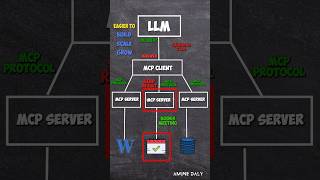
SourceMCP follows a client-server model. Here is how the pieces fit together:
The three components you need:
- An MCP-capable AI client, Claude Desktop, Cursor, or any application built on the Anthropic or OpenAI Agents SDK.
- MCP servers for your tools, connectors for HubSpot, Google Ads, GA4, your email platform, etc. HubSpot launched its official MCP server in January 2026. Many others are open source on GitHub.
- A configuration file, a JSON file that tells your AI client which servers to load and how to authenticate with each one. This is usually fewer than 20 lines.
What happens when you give the AI a task:
The parallel queries in steps D, E, and F are what make this dramatically faster than a human analyst. The AI does not wait for one tool before querying the next. A task that requires data from three platforms takes roughly the same wall-clock time as a query to a single platform.
The four workflow types marketing teams use most:
- Read-only analysis: AI pulls data, generates a report or recommendation, human reviews before any action is taken. Best for weekly reporting automation.
- Read-and-recommend: AI monitors live data (CPA, CTR, budget pacing) and surfaces alerts or suggested changes. Human approves each one.
- Semi-automated execution: AI proposes a batch of changes (pause underperforming ad groups, reallocate budget to top performers), human approves the batch, AI executes all at once.
- Fully automated loops: AI monitors, decides, and acts within pre-defined guardrails (never move more than 15 percent of budget in a single action, never pause a campaign with more than X conversions). Requires mature trust and clear rules.
Start at read-only. Move right as your confidence in the workflow grows.
Real Company Examples
HubSpot plus Google Ads cross-attribution (2025)
A B2B SaaS growth team connected HubSpot's MCP server (launched January 2026) and Google Ads MCP simultaneously. Their weekly attribution question, "Which Google Ads campaign produced the most closed-won revenue last quarter?", previously required a revenue operations analyst to manually join data from two platforms, taking roughly two hours each Monday. With both MCP servers connected, they typed the same question into Claude and received a cross-referenced answer in under 60 seconds. The same setup let them ask follow-on questions: "What was the average sales cycle for leads from that campaign versus the next best campaign?" The analyst redirected the two hours to testing new audience segments. Source: GrowthSpree, 2025.
Lead quality analysis across paid channels (Wix SEO team, 2025)
The Wix SEO team documented an MCP use case where an AI agent connected to HubSpot and LinkedIn Ads answered: "What is our MQL-to-SQL conversion rate for Google Ads leads versus LinkedIn Ads leads this quarter?" Previously, answering this required cross-referencing contact lifecycle stages with original source fields, a task that required two hours of manual reporting with significant risk of filter errors. With MCP connections in place, the same analysis ran in under two minutes and was repeatable on demand by any team member, not just the analyst who knew how to build the pivot table. The team reported catching a LinkedIn audience quality issue two weeks earlier than they would have in their old reporting cycle. Source: Wix, 2025.
Common Mistakes
HubSpot's official MCP server, public beta January 2026, general availability April 2026 Community-built connectors for major CRMs varied wildly in auth handling and action coverage, exactly the risk this section's Mistake 4 warns about HubSpot became the first major CRM to ship an official, vendor-maintained MCP server, giving AI assistants read and write access to CRM records inside each user's existing permissions
Result: Removed the single biggest adoption blocker for HubSpot's 38%-share marketing automation customer base connecting AI assistants to live CRM data (January 2026 public beta to April 2026 general availability).
SourceMistake 1: Treating MCP as an infrastructure project instead of a workflow project.
Teams spend weeks connecting every tool they have, then realize they never defined which specific tasks the AI should perform. Start with one high-value, repetitive task: weekly paid search reporting, lead scoring updates, or campaign brief drafts from analytics data. Build MCP connections only for the tools that task requires. Prove the value in two weeks, then expand.
Mistake 2: Enabling write access before you understand the read layer.
Most MCP servers support both read (fetching data) and write (creating or updating records) actions. If you give the AI write access to HubSpot before you have reviewed several cycles of read-only output, you will eventually get a batch of contact records updated with incorrect data or a campaign paused that should not have been. Start read-only for at least two weeks.
Mistake 3: Skipping the guardrail definition.
Automated workflows need explicit rules about what the AI cannot do: never spend more than X percent of monthly budget in a single reallocation, never pause a campaign with more than Y conversions in the last 30 days, never send an email to a segment larger than Z without human approval. Write these down before connecting write access.
Mistake 4: Assuming MCP servers are production-ready out of the box.
The MCP ecosystem grew from roughly 1,000 servers in early 2025 to over 10,000 by March 2026, most of those are community-built and vary in quality. Before connecting any server to a production account, review the code or check for an official release from the vendor (HubSpot, Google, etc.). Community servers can have authentication bugs or incomplete action coverage.
Mistake 5: Using MCP to replace analytical thinking instead of to accelerate it.
MCP gives the AI access to your data, but it does not know your business context. If your CPC rose 20 percent last week because you intentionally shifted budget to a higher-funnel audience for a brand campaign, the AI will flag it as a problem unless you tell it. Connected AI workflows require a human who understands the strategy to interpret the output.
The authentication trap
Each MCP server requires OAuth credentials or API keys for the tool it connects to. Connecting 10 tools means managing 10 authentication setups, each with its own token expiry, permission scope, and revocation process. When you are starting out, connect a maximum of three tools. Document your authentication setup in a shared location. Set calendar reminders for token refresh dates. One expired credential in a multi-tool workflow can cause the entire workflow to fail silently, the AI returns an answer, but it is missing data from the disconnected tool.
The fastest way to get started in 2025
Claude Desktop plus the HubSpot MCP server (released January 2026) is the lowest-friction entry point for most B2B marketing teams. HubSpot's official server is maintained by HubSpot, supports OAuth, and covers contacts, deals, companies, campaigns, and email performance. Install Claude Desktop, follow HubSpot's MCP setup guide (under 20 minutes), and spend your first session asking read-only questions you currently answer manually. The time savings on your first real query will tell you exactly where to connect next.
Key Takeaways
- MCP is not a product you buy, it is an open protocol that makes your existing AI assistant dramatically more capable by giving it live access to your tools.
- The ecosystem hit 97 million monthly SDK downloads and 10,000+ public servers by early 2026. This is now the default standard for AI-to-tool connectivity, not an experiment.
- Marketing teams consistently report 50 to 75 percent time savings on data tasks once MCP workflows replace manual reporting.
- Start with read-only connections to one or two tools. Build confidence in the output before enabling write access.
- The value is not in replacing your analyst, it is in making every person on your team capable of getting analyst-quality answers on demand.
- Connected AI workflows fail because of unclear guardrails and poor authentication hygiene, not because of the AI. Define your rules before you automate.